
AI 1960s Yearbook Generator: Turn Your Selfie into a Vintage School Portrait
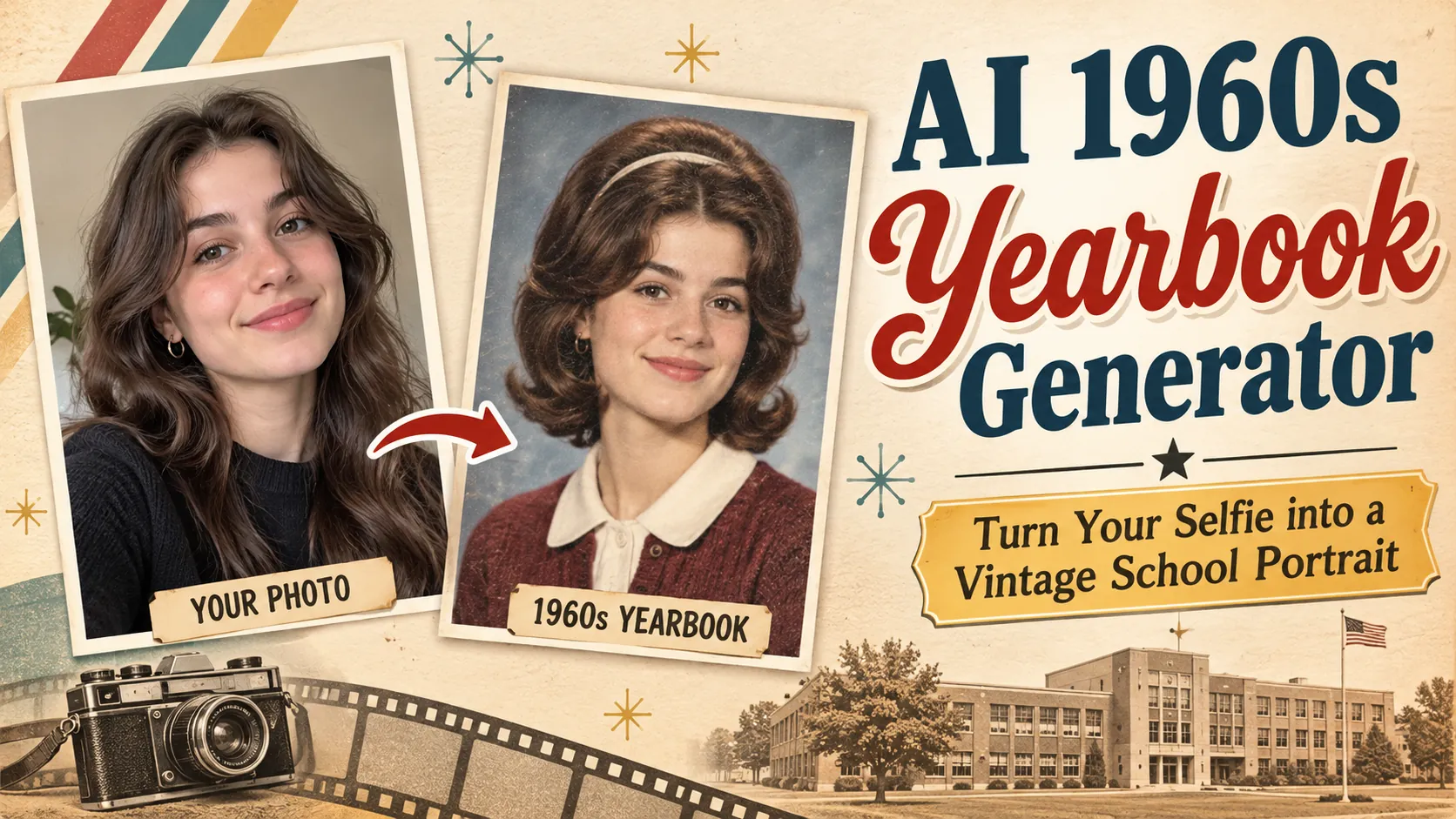
Have you ever wondered what you would have looked like as a high school student in the 1960s? With an AI 1960s Yearbook Generator, you can travel back in time and turn your modern selfie into a classic school yearbook portrait.
The 1960s had a special photography style. From big hairstyles and formal school outfits to soft studio lighting and traditional yearbook backgrounds, old school portraits have a look that is still popular today.
Now, AI photo editing makes it possible to recreate this vintage style using your own picture. Simply upload a selfie, choose a 1960s-inspired look, and let AI transform your photo into a retro yearbook portrait.
Whether you want a classic school picture, a vintage teenage portrait, or a funny throwback photo for social media, this trend offers plenty of creative possibilities.
In this guide, you’ll discover how to create 1960s yearbook photos, explore different vintage styles, and find ready-to-use AI prompts for your next photo transformation.
What Is an AI 1960s Yearbook Generator?
An AI 1960s Yearbook Generator is an image transformation tool that converts modern photographs into vintage school portraits inspired by the photography and fashion of the 1960s.
You don’t need an old camera, vintage clothing, or a professional photography studio. AI can recreate the appearance of an old school yearbook picture using your uploaded photo as a reference.
For example, you can upload a recent selfie and transform it into a portrait featuring a classic 1960s hairstyle, a collared shirt, a simple studio background, and soft film photography.
The goal is to make the picture look like an authentic yearbook portrait from that period while keeping your face recognizable.
Popular Features of 1960s AI Yearbook Photos
Vintage hairstyles: Create classic bouffant hairstyles, side parts, and retro haircuts.
Classic school outfits: Add sweaters, collared shirts, cardigans, and traditional formal clothing.
Old-fashioned backgrounds: Recreate simple blue, grey, and textured studio backdrops.
Vintage photography: Add subtle film grain, soft lighting, and slightly faded colours.
Retro yearbook appearance: Create portraits that resemble traditional printed school photographs.
Facial identity preservation: Use your original picture as a reference to maintain your recognizable appearance.
How to Create a 1960s Yearbook Photo with AI
Creating a vintage school portrait is easy with an AI image generator that supports reference photo uploads.
Step 1: Upload Your Selfie
Choose a clear picture from your phone or computer. A front-facing portrait with good lighting works well.
Make sure your face is visible and not covered by sunglasses, heavy filters, or other objects.
Step 2: Choose a 1960s Yearbook Style
Select a vintage yearbook preset if your AI tool provides one.
You can also use a custom prompt to describe the hairstyle, clothing, background, and photography style you want.
Step 3: Generate Your Vintage Portrait
Start the image generation process. The AI will use your reference photo and instructions to create a new portrait.
Depending on your prompt, you can create a classic school picture, a formal student portrait, or a retro teenage photography style.
Step 4: Review the Final Image
Check the generated image carefully. Make sure the face looks recognizable, the hairstyle appears natural, and the vintage effects do not make the picture look overly artificial.
If the result isn’t quite right, adjust your prompt and generate another version.
Step 5: Save and Share
Once you’re happy with the result, save your vintage portrait and share it on Instagram, Facebook, or other social media platforms.
You can also create multiple versions with different hairstyles, outfits, and backgrounds.
Best AI 1960s Yearbook Generator Prompts
The right prompt can make a big difference in the final image. Instead of simply asking AI to create an old photograph, describe the complete yearbook appearance.
Here are some ready-to-use prompts for different 1960s-inspired looks.
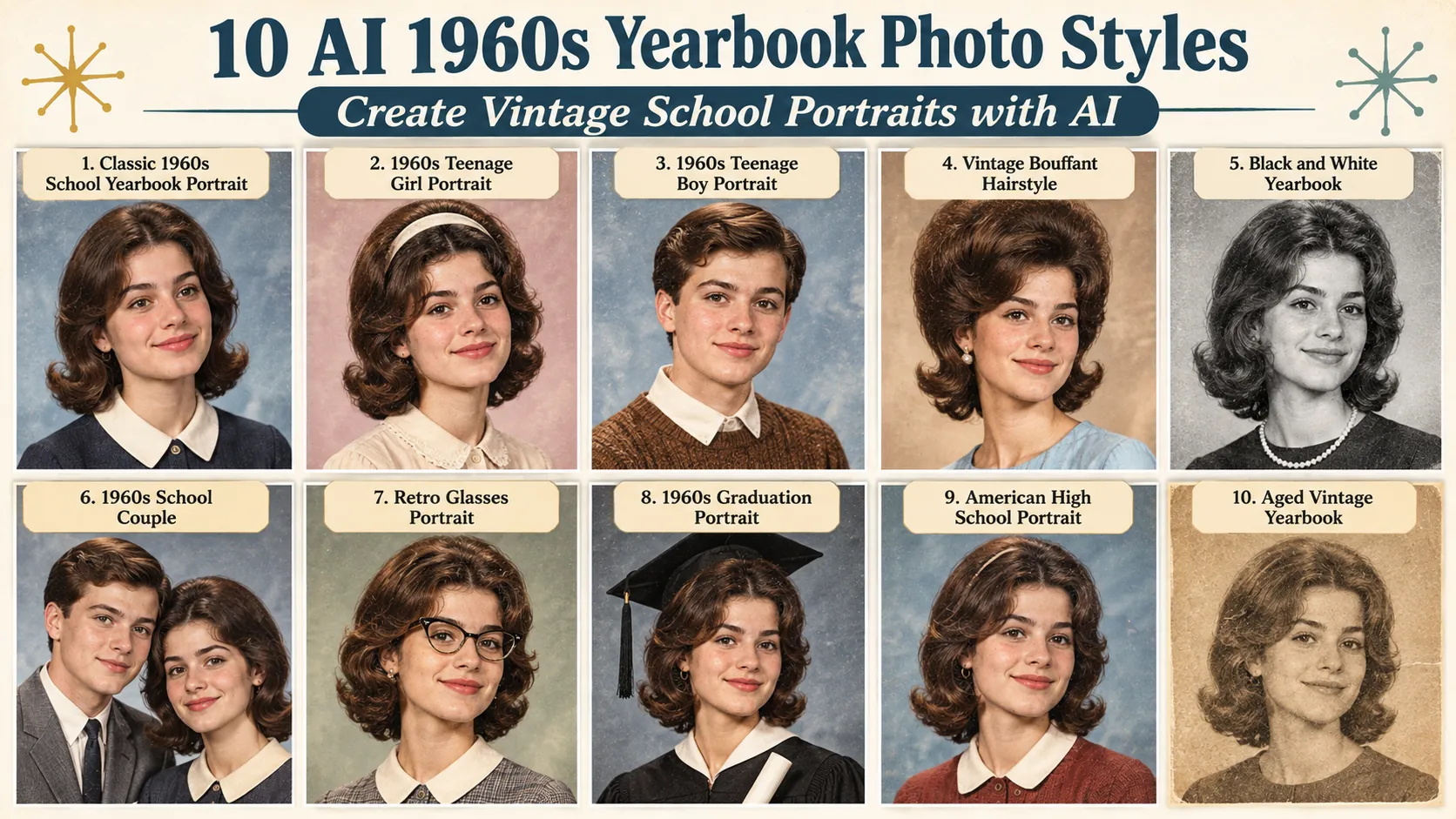
1. Classic 1960s School Yearbook Portrait
2. 1960s Teenage Girl Yearbook Photo
3. 1960s Teenage Boy School Portrait
4. Vintage 1960s Bouffant Hairstyle
5. Black and White 1960s Yearbook Portrait
6. 1960s Vintage School Couple Portrait
7. 1960s Retro School Portrait with Glasses
8. 1960s School Graduation Portrait
9. 1960s American High School Portrait
10. Aged Vintage Yearbook Photograph
Different 1960s Yearbook Photo Styles to Try
One of the best things about this AI trend is that you aren’t limited to one type of portrait. You can experiment with several vintage photography styles.
Classic American School Portrait
This style focuses on traditional school photography. It includes simple backgrounds, formal clothing, neat hairstyles, and a straight-facing camera pose.
Vintage Black-and-White Photography
Black-and-white portraits create a nostalgic appearance. They work especially well when you want your picture to resemble an old printed yearbook.
Retro Fashion Portrait
Try classic 1960s clothing, including knitted sweaters, patterned dresses, collared shirts, and vintage accessories.
Soft Film Photography
This look uses warm colours, gentle contrast, and subtle film grain to recreate the appearance of an older camera.
Old Printed Yearbook Style
Add slightly faded colours, delicate paper texture, and natural photographic imperfections to make your image look like it came from an old school album.
Tips for Getting Realistic 1960s Yearbook Photos
A good reference photo and a detailed prompt can help you get much better results.
1. Choose a clear face photo: Use a picture where your face is visible and properly lit. This gives the AI a better reference.
2. Describe the decade clearly: Include phrases such as “1960s school photography,” “vintage yearbook portrait,” and “analog film texture.”
3. Choose period-inspired hairstyles: Hairstyles are an important part of the overall appearance. Try bouffant styles, side parts, and neatly combed hair.
4. Keep the background simple: Traditional school portraits usually have plain studio backgrounds. Avoid adding too many distracting objects.
5. Don’t overuse vintage effects: Too much grain, blur, or fading can make facial details difficult to see. Use subtle effects for a more realistic result.
6. Generate different variations: Try several prompts with different clothing, hairstyles, and lighting until you find the best result.
Why Are 1960s Yearbook Photos Trending?
Vintage photography has a special appeal because it brings back the look and feeling of another time.
The 1960s had distinctive fashion, hairstyles, and portrait photography techniques. These details make old school photographs interesting even today.
AI makes it possible to recreate that appearance without searching for vintage clothing or visiting a photography studio.
People can also use these images for social media posts, profile pictures, creative projects, and fun comparisons between modern and vintage styles.
Another reason this trend is interesting is its personal touch. Instead of generating a random vintage student, you can use your own photograph and create a portrait that looks like an older version of your personal photo collection.
Frequently Asked Questions
1. What is an AI 1960s Yearbook Generator?
It is an AI photo editing tool that transforms modern selfies into vintage school portraits inspired by 1960s fashion and photography.
2. Can I turn my selfie into a 1960s yearbook photo?
Yes. Use an AI image generator that supports reference photo uploads. Add a detailed vintage yearbook prompt to transform your selfie.
3. Can AI preserve my original face?
AI can attempt to maintain your original facial features and identity. However, exact results are not guaranteed and may vary between image models.
4. Which hairstyles work best for 1960s yearbook photos?
Popular choices include bouffant hairstyles, neat side parts, classic short haircuts, and softly curled vintage hairstyles.
5. Can I create black-and-white yearbook photos?
Yes. Add instructions for monochrome photography, authentic black-and-white film grain, soft contrast, and a traditional studio background.
6. Can I use these pictures on social media?
Yes, provided you follow the AI generator’s image usage terms and respect the rights of people shown in the photos.
Final Thoughts
The AI 1960s Yearbook Generator is a creative way to transform your everyday selfies into nostalgic school portraits. From classic hairstyles and vintage clothing to traditional studio backgrounds, you can recreate the appearance of old yearbook photography with a few simple instructions.
Try different prompts, experiment with black-and-white and colour styles, and create your own collection of retro school portraits.
You don’t need an old photograph to enjoy the 1960s look. Your modern selfie is enough to get started.